Payment Options - Transworld Home - Best internet in Pakistan

Pay your bills using
Internet / Mobile Banking

  • Step 1 :
    Login to your account
  • Step 2 :
    Select “My Bills”
  • Step 3 :
    Select “Payment Method”
  • Step 4 :
    Inset “Amount”
  • Step 5 :
    Click “Proceed to Payment”
How to Pay using Askari Bank
How to Pay using BAHL
How to Pay using Bank Islami Bank
How to Pay using Bank of Punjab
How to Pay using Bank Alfalah
How to Pay using Dubai Islamic Bank
How to Pay using Faysal Bank
How to Pay using HBL
How to Pay using Habib Metro
How to Pay using JS Bank
How to Pay using MCB
How to Pay using Soneri Bank
How to Pay using Summit Bank
How to Pay using SCB
How to Pay using Silk Bank
How to Pay using NBP
How to Pay using Meezan Bank
How to Pay using UBL
How to Pay using Allied Bank
Payment via Debit/Credit Card
  • Step 1 :
    Visit the "Transworld Payment Page"
  • Step 2 :
    Enter Your “Account Details”
  • Step 3 :
    Check Your “Bill Amount”
  • Step 4 :
    Select “Payment Method (Debit / Credit Card)”
  • Step 5 :
    Confirm and Complete “Payment”
  • Step 1 :
    "Login" to your Easypaisa account
  • Step 2 :
    Select “Bill Payment”
  • Step 3 :
    Select “Internet”
  • Step 4 :
    Select “Transworld Home”
  • Step 5 :
    Enter “Customer ID”
  • Step 6 :
    Click “Pay Now”
  • Step 1 :
    "Login" to your JazzCash account
  • Step 2 :
    Select “Utility Bills”
  • Step 3 :
    Select “Internet”
  • Step 4 :
    Select “Transworld Home”
  • Step 5 :
    Enter “Customer ID”
  • Step 6 :
    Click on “Confirm”
  • Step 1 :
    "Login" to your KuickPay account
  • Step 2 :
    Select “Internet Services”
  • Step 3 :
    Select"Transworld"
  • Step 4 :
    Enter Your “Customer ID”~Please make sure you put 83700 as a prefix to your Consumer ID.
  • Step 5 :
    Choose “Payment Method”
  • Step 6 :
    Click on “Confirm”

For instructions on how to pay, Click here

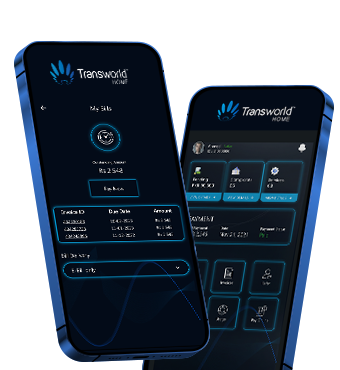
My Transworld App

Manage your services, subscription & bills through My Transworld App.

screen
Order Now